%20scale(0.1,-0.1)'%20fill='%23000000'%3e%3cpath%20fill='%230D86ED'%20d='M12620%2014000%20c-8%20-5%20-34%20-10%20-57%20-10%20-23%200%20-45%20-4%20-48%20-10%20-3%20-5%20-17%20-10%20-30%20-10%20-13%200%20-27%20-4%20-30%20-10%20-3%20-5%20-14%20-10%20-25%20-10%20-21%200%20-111%20-46%20-174%20-89%20-100%20-69%20-222%20-211%20-268%20-311%20-48%20-103%20-63%20-162%20-84%20-324%20-10%20-69%2014%20-226%2046%20-311%2046%20-119%20102%20-208%20189%20-298%20148%20-154%20326%20-232%20551%20-244%20328%20-17%20624%20156%20770%20452%2028%2055%2050%20109%2050%20120%200%2012%204%2025%209%2031%2023%2024%2032%20265%2013%20364%20-18%2097%20-23%20113%20-76%20219%20-81%20163%20-213%20291%20-381%20370%20-27%2013%20-58%2027%20-67%2032%20-10%205%20-28%209%20-41%209%20-13%200%20-27%204%20-32%209%20-22%2020%20-290%2039%20-315%2021z'/%3e%3cpath%20d='M11585%2013034%20c-77%20-30%20-194%20-75%20-260%20-100%20-66%20-25%20-125%20-50%20-132%20-56%20-10%20-8%20-13%20-352%20-13%20-1734%200%20-1653%20-1%20-1724%20-18%20-1724%20-10%200%20-22%204%20-28%209%20-5%205%20-103%2054%20-219%20109%20-115%2054%20-343%20162%20-505%20239%20-162%2077%20-320%20152%20-350%20166%20-30%2014%20-122%2057%20-205%2097%20-82%2040%20-186%2089%20-230%20110%20-195%2091%20-247%20116%20-355%20168%20-63%2030%20-180%2085%20-260%20122%20-80%2037%20-178%2084%20-219%20104%20-41%2020%20-77%2034%20-79%2031%20-3%20-3%2015%20-26%2039%20-53%2024%20-26%2064%20-74%2089%20-106%2025%20-32%2061%20-77%2080%20-100%2019%20-23%2091%20-114%20160%20-201%2069%20-87%20242%20-305%20385%20-484%20143%20-180%20325%20-409%20405%20-509%20381%20-481%20438%20-551%20492%20-604%20102%20-99%20240%20-152%20398%20-152%20118%200%20148%208%20433%20128%20122%2052%20328%20138%20457%20191%20129%2054%20305%20127%20390%20163%2085%2035%20231%2095%20324%20134%2093%2038%20192%2081%20220%2095%20115%2058%20197%20141%20256%20259%2062%20126%2060%2060%2060%201520%20l0%201331%20-162%20-1%20c-170%200%20-237%2010%20-358%2055%20-329%20122%20-567%20412%20-612%20744%20-13%20100%20-15%20105%20-30%20104%20-7%200%20-76%20-25%20-153%20-55z'/%3e%3cpath%20d='M8830%2012073%20c-85%20-7%20-159%20-31%20-365%20-115%20-121%20-49%20-229%20-93%20-240%20-98%20-11%20-5%20-171%20-70%20-355%20-144%20-341%20-138%20-682%20-277%20-823%20-336%20-142%20-59%20-243%20-153%20-311%20-288%20-74%20-146%20-68%20-22%20-71%20-1662%20-3%20-1554%20-3%20-1572%2041%20-1666%2078%20-170%20203%20-272%20360%20-295%2041%20-6%20144%20-8%20254%20-5%20102%204%20191%203%20197%20-2%2010%20-6%2013%20-189%2015%20-835%202%20-528%207%20-827%2013%20-828%205%200%2022%2030%2038%2068%2016%2037%2071%20163%20123%20280%2051%20117%20120%20276%20152%20355%2033%2079%20103%20247%20157%20373%20172%20406%20235%20556%20306%20724%20l69%20165%200%201628%20c0%201361%202%201628%2014%201628%2013%200%20358%20-159%20811%20-375%20262%20-125%20326%20-155%20329%20-155%202%200%2062%20-28%20132%20-61%2071%20-34%20165%20-78%20209%20-99%2044%20-21%20141%20-67%20215%20-102%2074%20-36%20176%20-84%20225%20-108%2050%20-23%20176%20-83%20280%20-132%20258%20-123%20278%20-131%20272%20-114%20-5%2011%20-370%20471%20-386%20486%20-4%203%20-22%2025%20-41%2050%20-19%2025%20-40%2052%20-47%2060%20-7%208%20-70%2087%20-140%20176%20-70%2088%20-180%20226%20-243%20305%20-64%2079%20-149%20187%20-190%20239%20-485%20618%20-607%20761%20-690%20811%20-82%2049%20-218%2081%20-310%2072z'/%3e%3c/g%3e%3c/svg%3e)
Reach and order
Turn every point of contact into an easier way to order.
From the link, the code and the menu, to ordering at the table, ahead of arrival or for delivery — then straight into your restaurant.
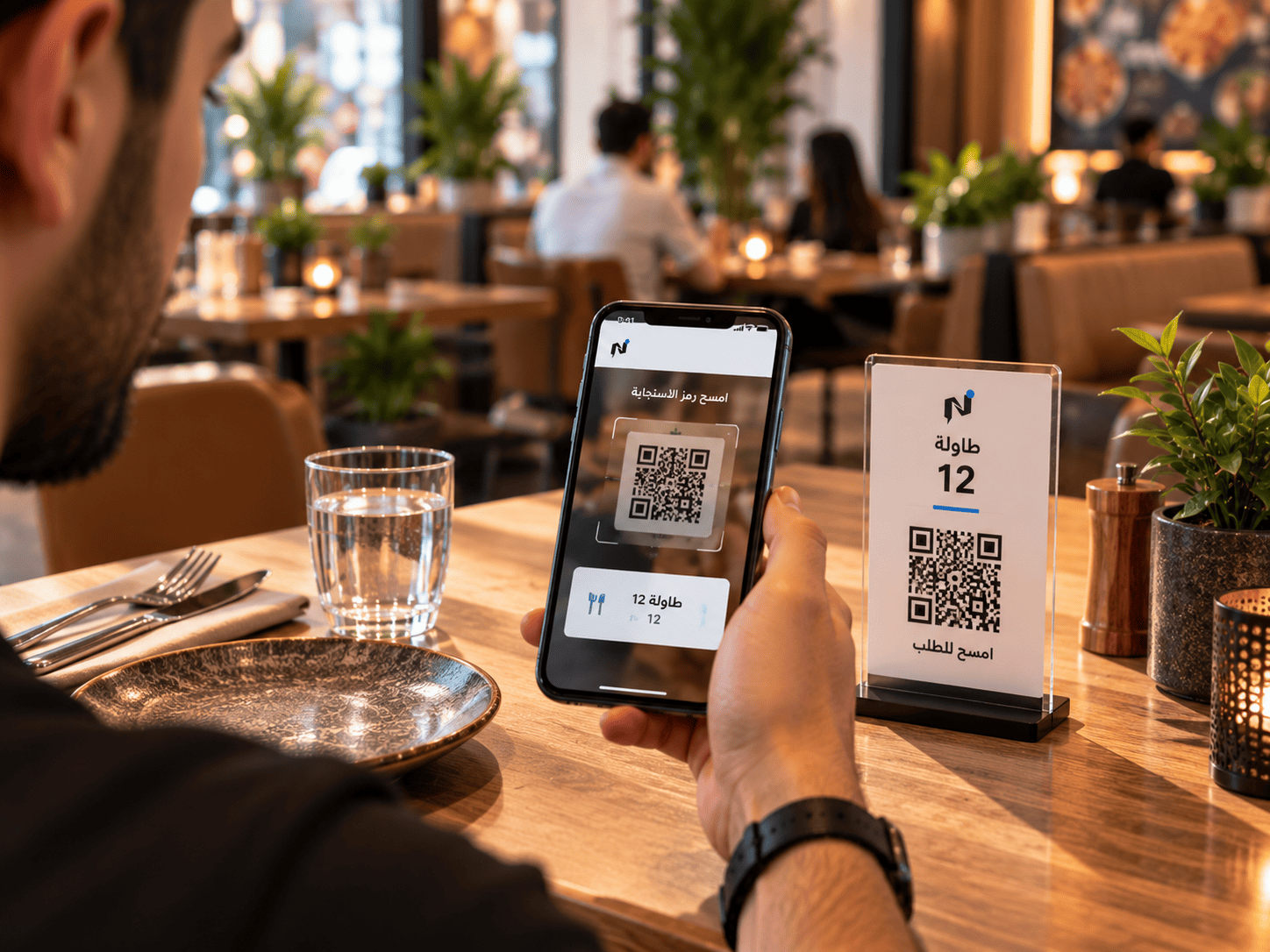
From menu to operations
Reach
Make your restaurant and your menu easier to get to.
Notify Smart Link is the customer-facing gateway. Auto SMS and QR shorten the distance between a customer and your menu.
-
Notify Smart Link
One link that carries your digital identity and leads customers to the menu.
-
Auto SMS messaging
Text messaging for staying in touch with your customers.
-
QR code
A code on the table, on print or at the entrance that opens the menu directly.
-
Digital identity
An organised digital presence instead of scattered details.
Auto SMS is a customer communication channel for your business. It is not automated order-status notification.
The digital menu
A menu that does more than display. It powers customer ordering.
An intuitive Arabic and English menu with clear photography, item variants, and paid modifiers — accessible instantly from any mobile browser.
Frictionless browsing that drives average order value.
Guests browse rich visuals, customize ingredients, and select add-ons. Orders transmit directly to the counter and kitchen without manual re-keying or human error.
- Instant bilingual interface (Arabic and English)
- High-resolution imagery, descriptions, and pricing
- Required and optional modifiers, combos, and extras
- Direct order placement from the customer's phone
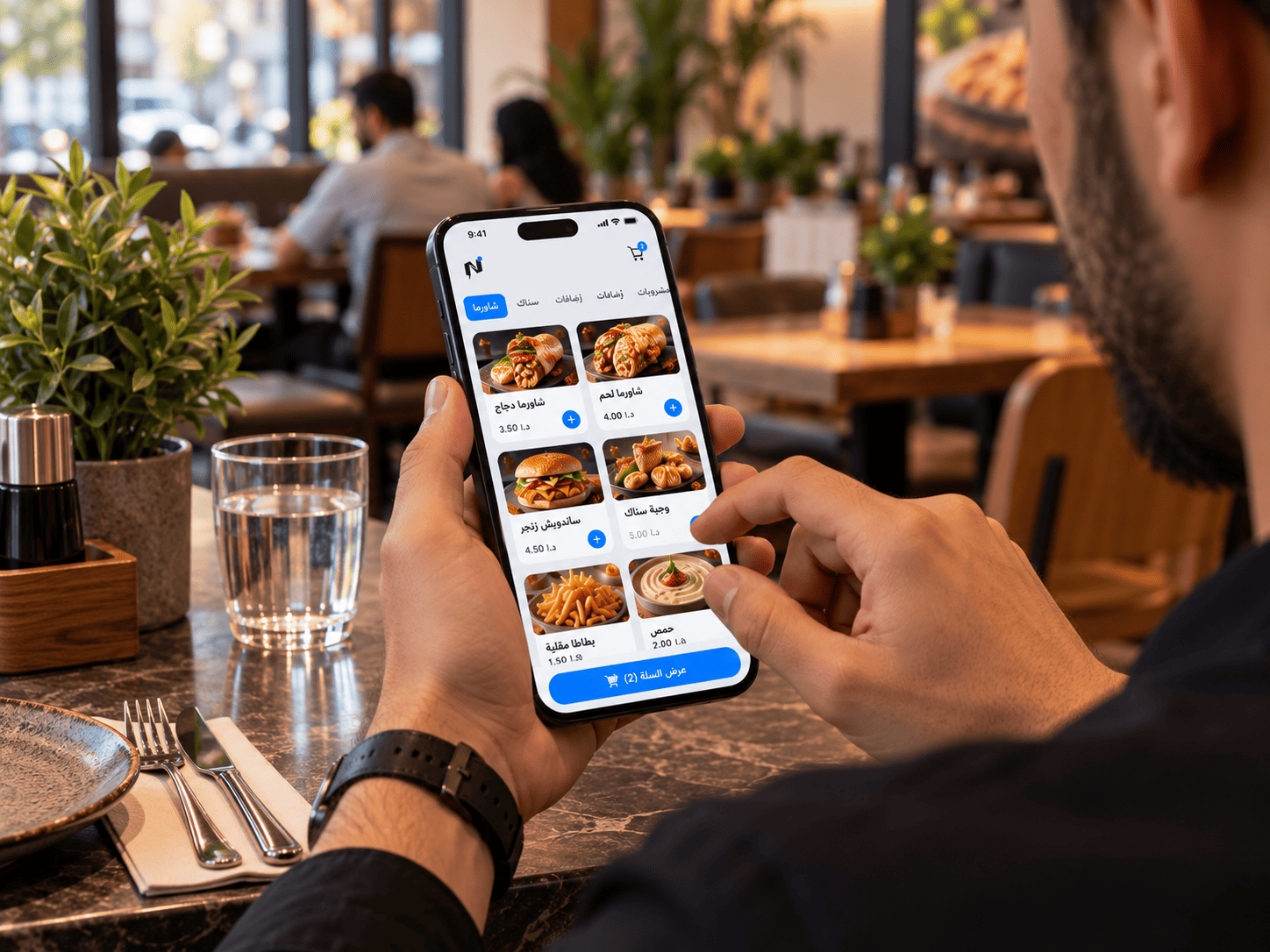 Customer-facing menu
Order ahead for pickup
Order before arrival… collect hot, fresh, and ready.
Empower your patrons to submit their orders in advance, follow kitchen preparation stages live, and pick up swiftly upon arrival without standing in line.
- Drastically cuts waiting times and prevents cashier counter crowding
- Order ahead items route directly into kitchen production lines
- Clear readiness status visibility until order collection
Order ahead is available for prompt pickup upon readiness without scheduled pickup time slots.
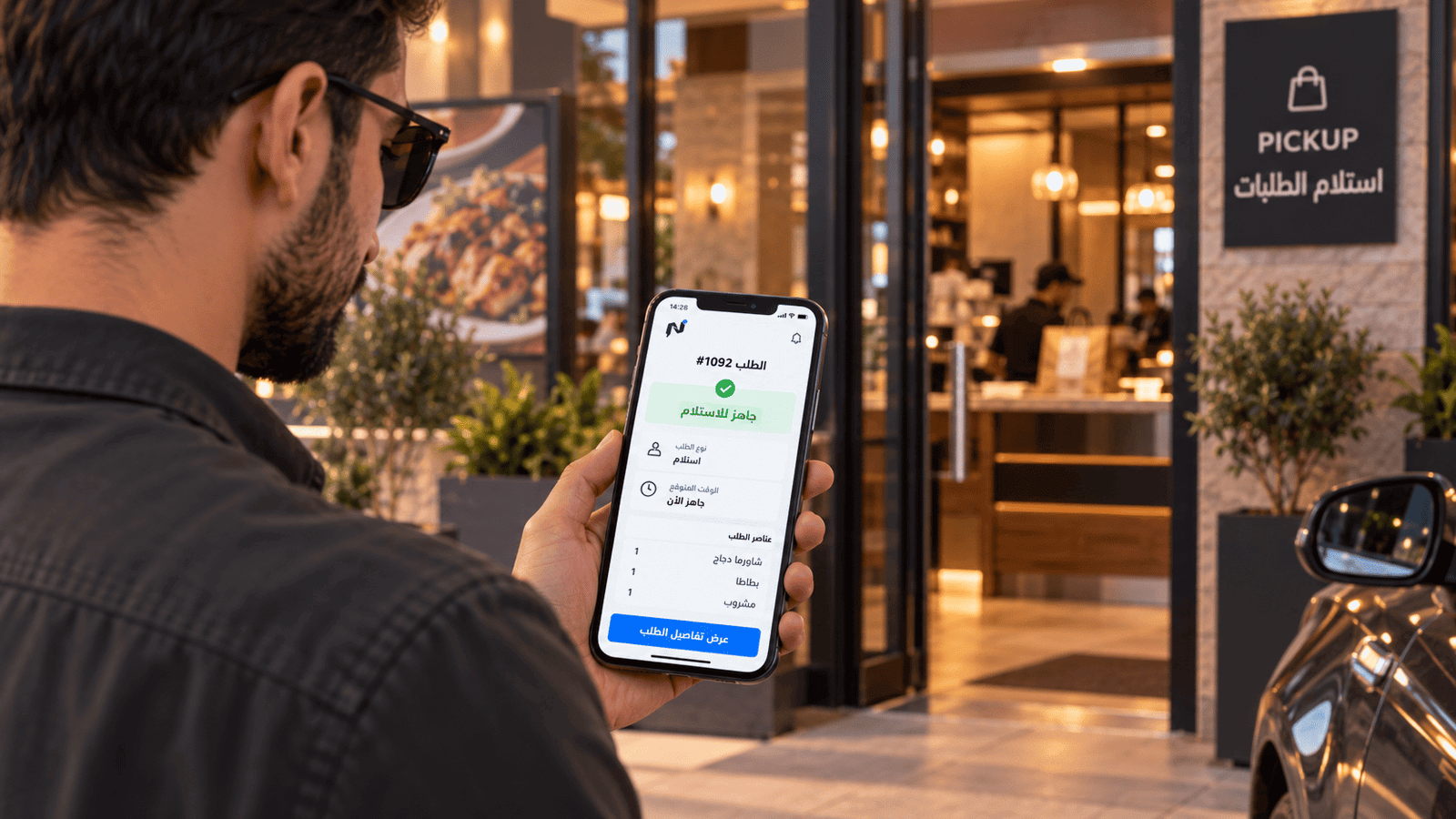 Swift pickup flow
Ordering channels
Four ways to order. One operational path.
Regardless of how an order originates, every ticket consolidates into the same point of sale, kitchen display, and stock deduction.
-
Table QR ordering
Dedicated QR per table links tickets to table numbers automatically.
-
Order ahead for pickup
Customers order in advance and collect when ready without lines.
-
Counter ordering
Staff enter fast counter orders directly on the touch POS.
-
Delivery orders
Manage in-house and third-party delivery under one standard flow.
Order status
Your customer knows where their order stands.
Order status tracking reduces repeated questions and gives the customer clarity while they wait.
-
The customer sends the order
From the table, ahead of arrival, or for delivery, through the digital menu.
-
The order reaches your restaurant
It appears for your team with all of its details and options.
-
The order moves through preparation
The kitchen sees what needs preparing and the status updates.
-
The customer follows the status
They stay informed through to collection or delivery.
Connected to operations
The order doesn't stop when you receive it.
Every order passes through POS, kitchen and inventory, and shows up in cost and reporting.
- Menu
- Order
- POS
- Kitchen
- Inventory
- Cost
- Reports
Your team never has to re-enter the order into another system.
Next step
Show us how your customers order today.
Book a demo, and we'll map what the ordering journey looks like in your restaurant on Notify.
Already a subscriber? Sign in to your restaurant dashboard