%20scale(0.1,-0.1)'%20fill='%23000000'%3e%3cpath%20fill='%230D86ED'%20d='M12620%2014000%20c-8%20-5%20-34%20-10%20-57%20-10%20-23%200%20-45%20-4%20-48%20-10%20-3%20-5%20-17%20-10%20-30%20-10%20-13%200%20-27%20-4%20-30%20-10%20-3%20-5%20-14%20-10%20-25%20-10%20-21%200%20-111%20-46%20-174%20-89%20-100%20-69%20-222%20-211%20-268%20-311%20-48%20-103%20-63%20-162%20-84%20-324%20-10%20-69%2014%20-226%2046%20-311%2046%20-119%20102%20-208%20189%20-298%20148%20-154%20326%20-232%20551%20-244%20328%20-17%20624%20156%20770%20452%2028%2055%2050%20109%2050%20120%200%2012%204%2025%209%2031%2023%2024%2032%20265%2013%20364%20-18%2097%20-23%20113%20-76%20219%20-81%20163%20-213%20291%20-381%20370%20-27%2013%20-58%2027%20-67%2032%20-10%205%20-28%209%20-41%209%20-13%200%20-27%204%20-32%209%20-22%2020%20-290%2039%20-315%2021z'/%3e%3cpath%20d='M11585%2013034%20c-77%20-30%20-194%20-75%20-260%20-100%20-66%20-25%20-125%20-50%20-132%20-56%20-10%20-8%20-13%20-352%20-13%20-1734%200%20-1653%20-1%20-1724%20-18%20-1724%20-10%200%20-22%204%20-28%209%20-5%205%20-103%2054%20-219%20109%20-115%2054%20-343%20162%20-505%20239%20-162%2077%20-320%20152%20-350%20166%20-30%2014%20-122%2057%20-205%2097%20-82%2040%20-186%2089%20-230%20110%20-195%2091%20-247%20116%20-355%20168%20-63%2030%20-180%2085%20-260%20122%20-80%2037%20-178%2084%20-219%20104%20-41%2020%20-77%2034%20-79%2031%20-3%20-3%2015%20-26%2039%20-53%2024%20-26%2064%20-74%2089%20-106%2025%20-32%2061%20-77%2080%20-100%2019%20-23%2091%20-114%20160%20-201%2069%20-87%20242%20-305%20385%20-484%20143%20-180%20325%20-409%20405%20-509%20381%20-481%20438%20-551%20492%20-604%20102%20-99%20240%20-152%20398%20-152%20118%200%20148%208%20433%20128%20122%2052%20328%20138%20457%20191%20129%2054%20305%20127%20390%20163%2085%2035%20231%2095%20324%20134%2093%2038%20192%2081%20220%2095%20115%2058%20197%20141%20256%20259%2062%20126%2060%2060%2060%201520%20l0%201331%20-162%20-1%20c-170%200%20-237%2010%20-358%2055%20-329%20122%20-567%20412%20-612%20744%20-13%20100%20-15%20105%20-30%20104%20-7%200%20-76%20-25%20-153%20-55z'/%3e%3cpath%20d='M8830%2012073%20c-85%20-7%20-159%20-31%20-365%20-115%20-121%20-49%20-229%20-93%20-240%20-98%20-11%20-5%20-171%20-70%20-355%20-144%20-341%20-138%20-682%20-277%20-823%20-336%20-142%20-59%20-243%20-153%20-311%20-288%20-74%20-146%20-68%20-22%20-71%20-1662%20-3%20-1554%20-3%20-1572%2041%20-1666%2078%20-170%20203%20-272%20360%20-295%2041%20-6%20144%20-8%20254%20-5%20102%204%20191%203%20197%20-2%2010%20-6%2013%20-189%2015%20-835%202%20-528%207%20-827%2013%20-828%205%200%2022%2030%2038%2068%2016%2037%2071%20163%20123%20280%2051%20117%20120%20276%20152%20355%2033%2079%20103%20247%20157%20373%20172%20406%20235%20556%20306%20724%20l69%20165%200%201628%20c0%201361%202%201628%2014%201628%2013%200%20358%20-159%20811%20-375%20262%20-125%20326%20-155%20329%20-155%202%200%2062%20-28%20132%20-61%2071%20-34%20165%20-78%20209%20-99%2044%20-21%20141%20-67%20215%20-102%2074%20-36%20176%20-84%20225%20-108%2050%20-23%20176%20-83%20280%20-132%20258%20-123%20278%20-131%20272%20-114%20-5%2011%20-370%20471%20-386%20486%20-4%203%20-22%2025%20-41%2050%20-19%2025%20-40%2052%20-47%2060%20-7%208%20-70%2087%20-140%20176%20-70%2088%20-180%20226%20-243%20305%20-64%2079%20-149%20187%20-190%20239%20-485%20618%20-607%20761%20-690%20811%20-82%2049%20-218%2081%20-310%2072z'/%3e%3c/g%3e%3c/svg%3e)
Hardware and setup
We prepare the setup that fits how your restaurant works.
We don't sell a device. We prepare a working station that suits your space and the way you serve.
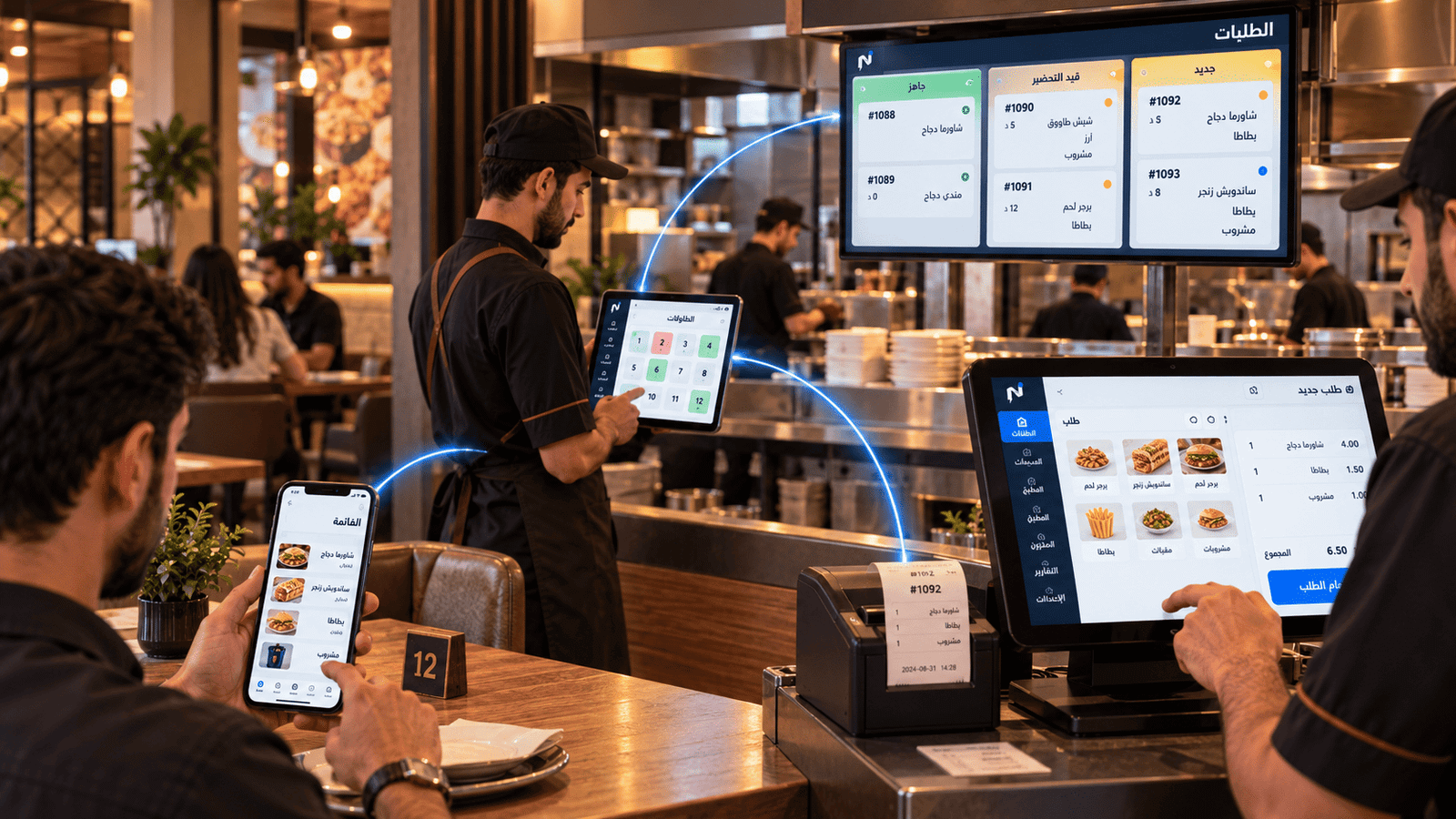
Configured, installed, supported
Hardware
Suitable standard hardware, prepared for your restaurant.
-
POS station
A Windows touch station prepared for the way you work.
-
Receipt printer
Customer receipts printed to your invoice settings.
-
Kitchen printer
Prep tickets printed at the kitchen stations.
-
Cash drawer
Cash drawer support as part of the counter setup.
-
Customer display
Shows order details to the customer at the counter.
-
Touch displays
Screens sized for your counter or operating points.
We supply suitable standard hardware and prepare, install and support it. Notify does not manufacture hardware and does not certify it.
Operating continuity
An internet outage doesn't stop the counter.
A prepared Windows terminal can keep taking orders and printing during an interruption, then synchronise once the connection returns.
What continuity means
The prepared terminal keeps working through the interruption, and data updates once the internet connection returns.
What it doesn't mean
We don't describe the system as working fully offline, and we don't present this as a permanent operating mode.
Tailored setups
Operating paths built around your restaurant.
Some restaurants need a different ordering or pickup path. We study the case and build the setup that fits it.
-
Tailored self-order setup
A self-order or digital counter setup built around your restaurant's case.
-
Custom pickup or drive-through path
A pickup path designed around your operational requirements.
-
Studying how you work
We start from how you serve today before proposing any setup.
These are tailored builds studied and delivered case by case — not ready-made modules inside the product.
Installation and support
Setup doesn't end at delivery.
-
Site review
We look at the space, the service points and the way you work.
-
Preparation
Preparing the station, printers and the right settings.
-
Installation
Installing the hardware and connecting it to the system in the restaurant.
-
Support
Following the operation and supporting your team after installation.
Next step
Show us your restaurant's space.
Book a demo, and we'll suggest the setup that fits your service style and operating points.
Already a subscriber? Sign in to your restaurant dashboard