%20scale(0.1,-0.1)'%20fill='%23000000'%3e%3cpath%20fill='%230D86ED'%20d='M12620%2014000%20c-8%20-5%20-34%20-10%20-57%20-10%20-23%200%20-45%20-4%20-48%20-10%20-3%20-5%20-17%20-10%20-30%20-10%20-13%200%20-27%20-4%20-30%20-10%20-3%20-5%20-14%20-10%20-25%20-10%20-21%200%20-111%20-46%20-174%20-89%20-100%20-69%20-222%20-211%20-268%20-311%20-48%20-103%20-63%20-162%20-84%20-324%20-10%20-69%2014%20-226%2046%20-311%2046%20-119%20102%20-208%20189%20-298%20148%20-154%20326%20-232%20551%20-244%20328%20-17%20624%20156%20770%20452%2028%2055%2050%20109%2050%20120%200%2012%204%2025%209%2031%2023%2024%2032%20265%2013%20364%20-18%2097%20-23%20113%20-76%20219%20-81%20163%20-213%20291%20-381%20370%20-27%2013%20-58%2027%20-67%2032%20-10%205%20-28%209%20-41%209%20-13%200%20-27%204%20-32%209%20-22%2020%20-290%2039%20-315%2021z'/%3e%3cpath%20d='M11585%2013034%20c-77%20-30%20-194%20-75%20-260%20-100%20-66%20-25%20-125%20-50%20-132%20-56%20-10%20-8%20-13%20-352%20-13%20-1734%200%20-1653%20-1%20-1724%20-18%20-1724%20-10%200%20-22%204%20-28%209%20-5%205%20-103%2054%20-219%20109%20-115%2054%20-343%20162%20-505%20239%20-162%2077%20-320%20152%20-350%20166%20-30%2014%20-122%2057%20-205%2097%20-82%2040%20-186%2089%20-230%20110%20-195%2091%20-247%20116%20-355%20168%20-63%2030%20-180%2085%20-260%20122%20-80%2037%20-178%2084%20-219%20104%20-41%2020%20-77%2034%20-79%2031%20-3%20-3%2015%20-26%2039%20-53%2024%20-26%2064%20-74%2089%20-106%2025%20-32%2061%20-77%2080%20-100%2019%20-23%2091%20-114%20160%20-201%2069%20-87%20242%20-305%20385%20-484%20143%20-180%20325%20-409%20405%20-509%20381%20-481%20438%20-551%20492%20-604%20102%20-99%20240%20-152%20398%20-152%20118%200%20148%208%20433%20128%20122%2052%20328%20138%20457%20191%20129%2054%20305%20127%20390%20163%2085%2035%20231%2095%20324%20134%2093%2038%20192%2081%20220%2095%20115%2058%20197%20141%20256%20259%2062%20126%2060%2060%2060%201520%20l0%201331%20-162%20-1%20c-170%200%20-237%2010%20-358%2055%20-329%20122%20-567%20412%20-612%20744%20-13%20100%20-15%20105%20-30%20104%20-7%200%20-76%20-25%20-153%20-55z'/%3e%3cpath%20d='M8830%2012073%20c-85%20-7%20-159%20-31%20-365%20-115%20-121%20-49%20-229%20-93%20-240%20-98%20-11%20-5%20-171%20-70%20-355%20-144%20-341%20-138%20-682%20-277%20-823%20-336%20-142%20-59%20-243%20-153%20-311%20-288%20-74%20-146%20-68%20-22%20-71%20-1662%20-3%20-1554%20-3%20-1572%2041%20-1666%2078%20-170%20203%20-272%20360%20-295%2041%20-6%20144%20-8%20254%20-5%20102%204%20191%203%20197%20-2%2010%20-6%2013%20-189%2015%20-835%202%20-528%207%20-827%2013%20-828%205%200%2022%2030%2038%2068%2016%2037%2071%20163%20123%20280%2051%20117%20120%20276%20152%20355%2033%2079%20103%20247%20157%20373%20172%20406%20235%20556%20306%20724%20l69%20165%200%201628%20c0%201361%202%201628%2014%201628%2013%200%20358%20-159%20811%20-375%20262%20-125%20326%20-155%20329%20-155%202%200%2062%20-28%20132%20-61%2071%20-34%20165%20-78%20209%20-99%2044%20-21%20141%20-67%20215%20-102%2074%20-36%20176%20-84%20225%20-108%2050%20-23%20176%20-83%20280%20-132%20258%20-123%20278%20-131%20272%20-114%20-5%2011%20-370%20471%20-386%20486%20-4%203%20-22%2025%20-41%2050%20-19%2025%20-40%2052%20-47%2060%20-7%208%20-70%2087%20-140%20176%20-70%2088%20-180%20226%20-243%20305%20-64%2079%20-149%20187%20-190%20239%20-485%20618%20-607%20761%20-690%20811%20-82%2049%20-218%2081%20-310%2072z'/%3e%3c/g%3e%3c/svg%3e)
Daily operations
Every order enters one operational path.
Dine-in, pickup, delivery and delivery-app orders — all managed by your team from the same system.
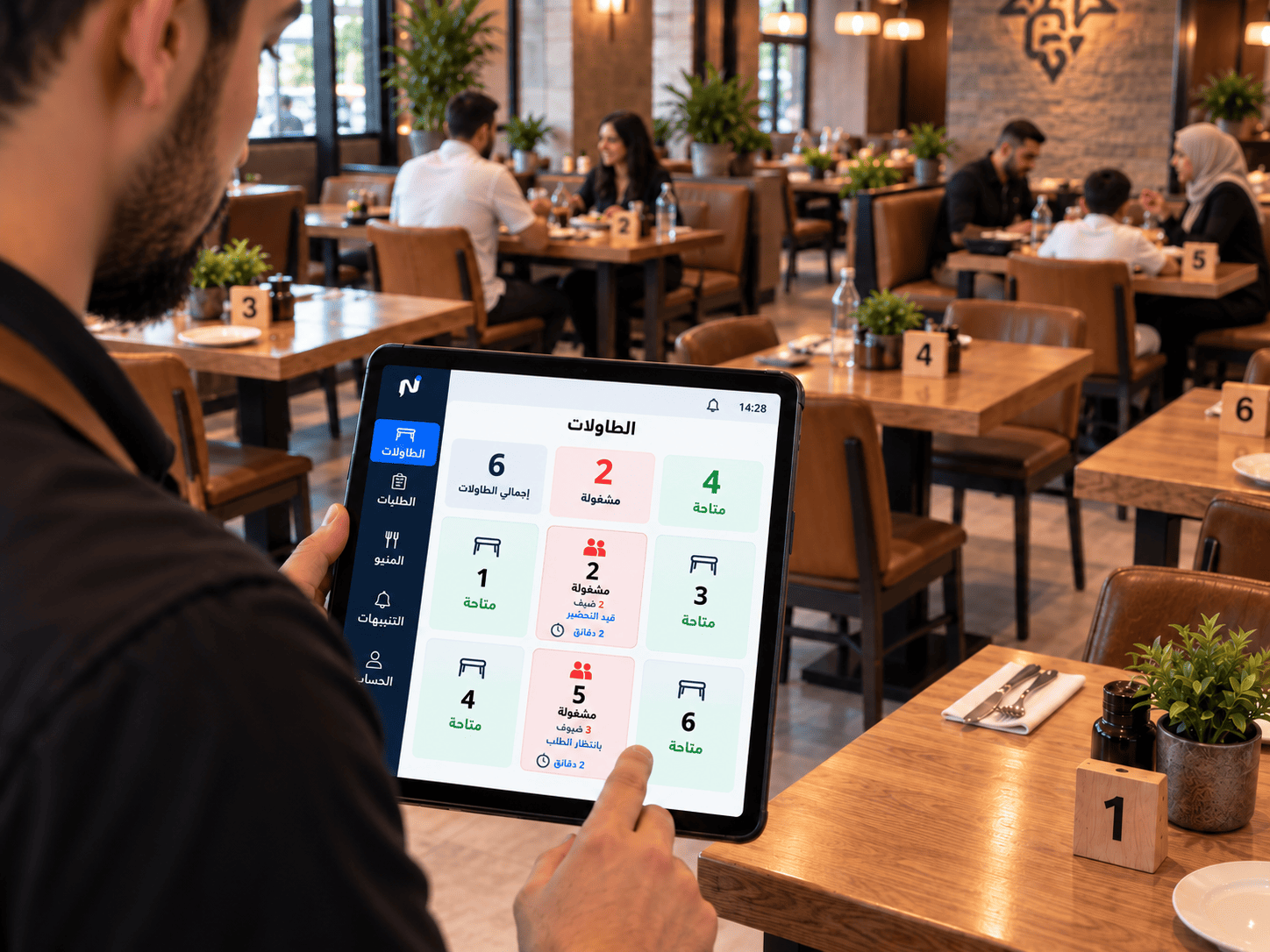
A POS that understands restaurants
Point of sale
A touch POS built for the pace of a restaurant.
A screen your cashier and floor team can move through quickly, without long training.
-
Touch POS
Enter orders quickly on a prepared touch screen.
-
Orders and customers
A record of orders and the customer details attached to them.
-
Dine-in, pickup and delivery
Service type is set with every order.
-
Customer display
Shows order details to the customer at the counter.
Floor and team
Organise who works, where, and what happened in the shift.
-
Tables and floor plan
Table layout and status in front of your floor team.
-
Staff roles
Permissions that match each person's role in the restaurant.
-
Shifts
When a shift opened, when it closed, and what happened in it.
-
Daily expenses
The day's expenses recorded inside the operating picture.
Delivery operations
Delivery orders, drivers, and platform accounts… all inside your core operations.
Run delivery from the exact same hub as your dine-in operations. Dispatch ready orders to drivers, log third-party delivery platforms, and settle cash and aggregator commissions with confidence.
- Clear handoff for completed orders assigned to specific drivers
- Direct intake of platform orders into identical kitchen and POS workflows
- Separate aggregator commission rates to evaluate real net order margins
- Simplified end-of-shift driver cash collections and daily settlement
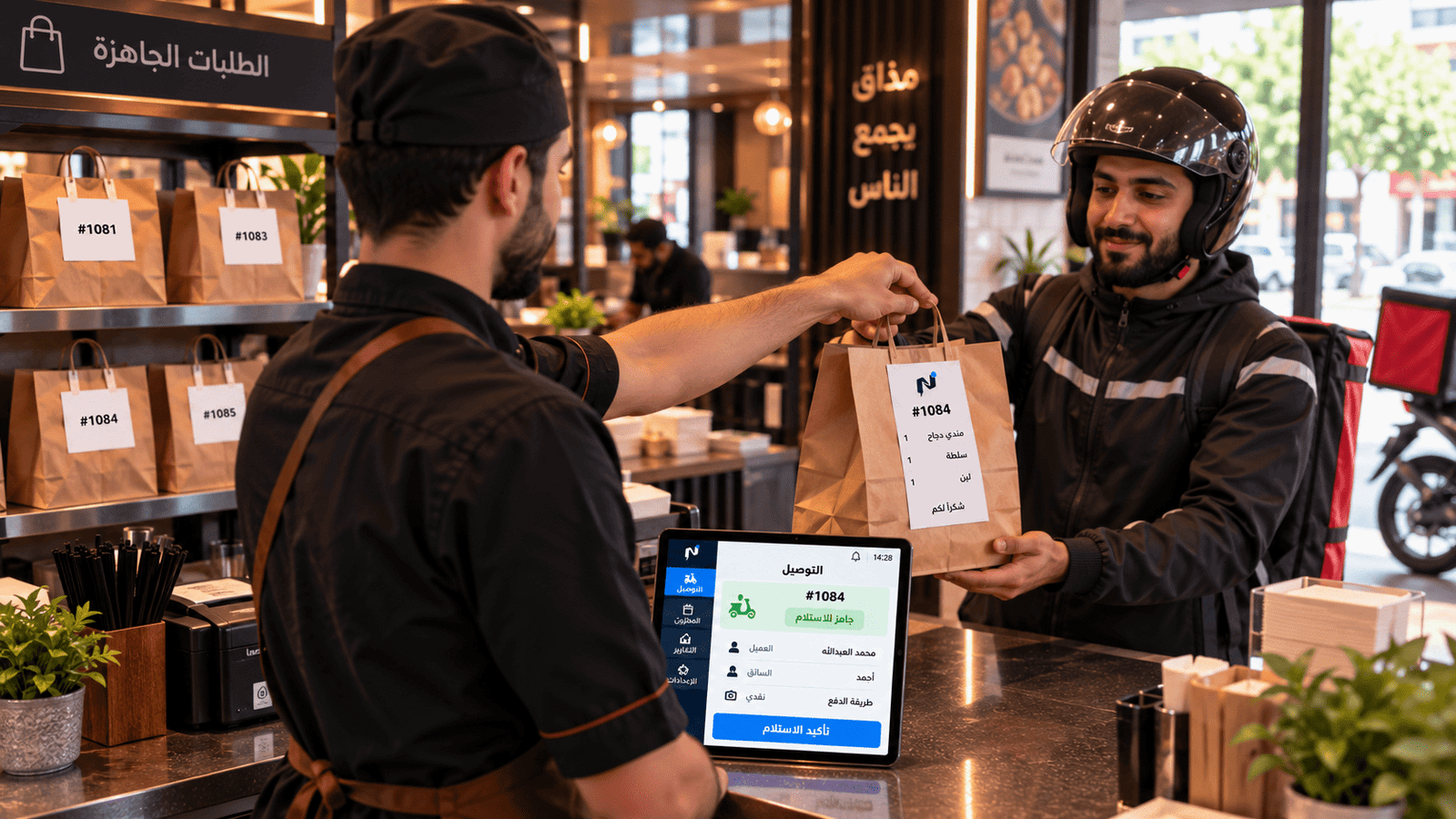 Dispatch & Driver Management
Internal delivery dispatch and driver accounting do not include live turn-by-turn GPS driver tracking in this release.
Operating continuity
An internet outage doesn't stop the counter.
A prepared Windows terminal
A prepared Windows terminal can keep taking orders and printing during an internet interruption, then synchronise once the connection returns.
What we don't claim
We don't describe the system as working fully offline. Continuity applies to the prepared terminal during an interruption — it is not a permanent operating mode.
Next step
Show us one day in your restaurant.
Book a demo, and we'll walk the order path from the counter to the kitchen to the end of the shift.
Already a subscriber? Sign in to your restaurant dashboard